


Word Associations Now!
4.638.00 Reviews
App Specs
- Version
- 1.2.0
- Updated On
- License
- Free
- Downloads
- 100,000+
- Developer
- LOST TEMPLE GAMES
- Categories
- Word
- Platform
- Android
Screenshots

 Analysis by AppCompare
I often reach for a word game when I have a few spare minutes but don’t want to start something that demands a long stretch of attention. Word Associations Now! is built around making links between words, so it gives that kind of break a clear little focus: see a prompt, think of what belongs with it, and decide how your mind connects the ideas. I find that appealing because association puzzles can be played casually, yet a familiar word can lead in several directions and make even a short turn interesting.
The game comes from LOST TEMPLE GAMES and sits in the word-puzzle corner rather than the usual crossword or word-search format. Its store summary points to sorting challenges and puzzles, while the short description emphasizes associations. That combination suggests a useful distinction for anyone choosing a game: this is about recognizing or forming relationships between words, not simply hunting for hidden letters or filling a grid from clues. I would pick it when I want to think in quick connections rather than work through a longer puzzle structure.
A small game that can fit into a shared day
A realistic use for this kind of game is a few minutes at the kitchen table while someone waits for food, a ride, or another person to finish getting ready. One person can read a prompt and another can suggest a connection, turning a solo word puzzle into a light conversation without needing a formal team setup. I like that possibility, but I would treat it as an informal way to share the moment, not assume the game has household profiles or a built-in family activity system.
On a shared phone or tablet, the practical question is less about who can play and more about whose progress or preferences are being used. If several people take turns on one device, it is sensible to agree on whether each person is playing independently or whether the device is simply being passed around for casual turns. That small boundary can avoid confusion later, especially if someone wants a personal challenge rather than a group session. I would check the current in-game screens before relying on a particular way to separate play, rather than assume separate accounts or profiles.
Getting to know the word-play
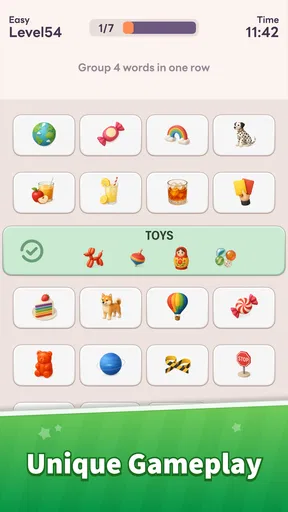
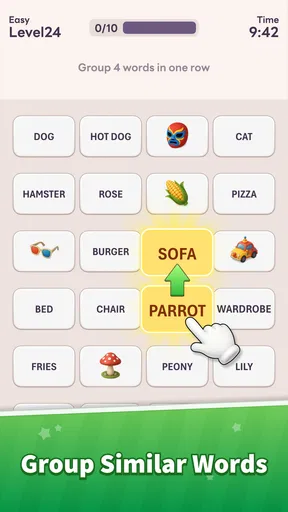
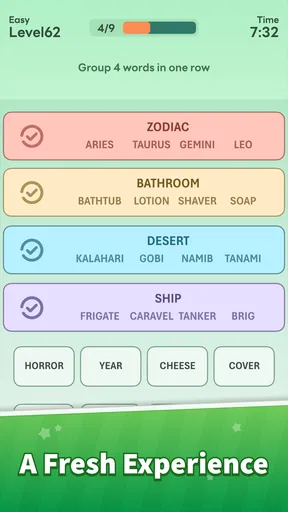
Right from the get-go, Word Associations Now! greets you with a sleek and straightforward interface. No fluff, just what you need to dive into the world of wordplay. The app’s main feature is, as you might guess, word association. It challenges you by presenting a word and asking you to come up with related terms. It’s like a brain teaser, but with words.
One thing I absolutely adore is the app’s simplicity. You don’t need a manual to get started. Just tap, think, and type. The app provides instant feedback, letting you know if your associations hit the mark. It’s a brilliant way to see how your brain connects the dots.
That direct loop is also where I would set expectations carefully. An association can feel obvious to one person and surprising to another because people draw on different experiences, interests, and meanings. Feedback is useful for keeping a puzzle moving, but it does not necessarily mean that every alternative connection is foolish or that the game is teaching a complete definition of a word. I would use it as a prompt to notice how words relate, not as a final authority on language.
Worth Reading Before You Choose

EA SPORTS FC Mobile 26 Is a Bigger Football Game, but It Takes Time

Flipboard Shows What News Apps Must Do Beyond the Feed

Switching to Android Auto Means Rethinking Your Driving Routine

Google Calendar Makes a Crowded Week Easier to Manage

Ludo King Makes the Most of the Minutes Between Plans

Baby Panda World Brings Quick Play to Modern Phones, but Its Game Library Feels Busy
Choosing a pace that suits the moment
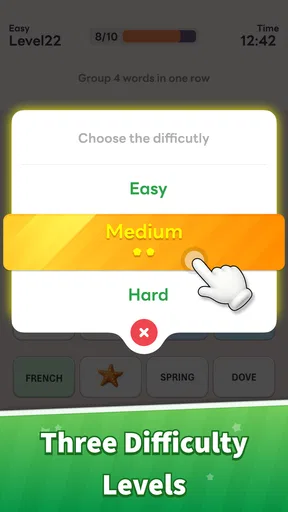
To keep things interesting, the app offers multiple game modes. Whether you’re in the mood for a quick session or a deep dive, there’s something for everyone. The "Timed Mode" is perfect when you want to challenge yourself against the clock, while the "Relaxed Mode" lets you take your time and savor each word.
For those competitive spirits, there’s also a "Challenge Mode" where you can go head-to-head with friends. It’s a fantastic way to test who has the sharper vocabulary and keeps the app engaging for longer sessions.
In a household, I would choose the mode to match the people and the setting, rather than assume one style suits everyone. A timed round can be lively when players are ready to compete, but it may feel stressful if someone is still learning or simply wants to think aloud. Relaxed play is the more natural choice for a mixed-age group or a quiet break. If friends are taking turns, agree on whose turn it is and whether the aim is to play for fun or compare results; a little coordination keeps friendly rivalry friendly.
Compared with crosswords, this format asks for looser, more intuitive thinking and does not depend on solving a full grid. Compared with word searches, it asks you to produce or recognize a relationship instead of scan a board for letters. Those alternatives are better if you enjoy a visible puzzle layout or a gradual chain of clues. I would choose this game when I want an open-ended mental nudge, while keeping a crossword or a traditional word puzzle ready for a more structured challenge.
Using associations as a learning prompt
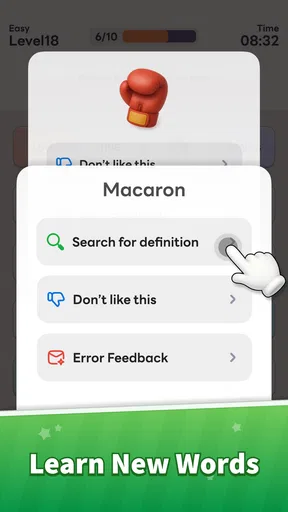
Now, let’s talk about one of the app’s standout features: vocabulary building. With each word association, you’re not just having fun; you’re learning too. The app provides insights into synonyms and related words, making it a powerful tool for anyone looking to expand their vocabulary.
Word Associations Now! doesn’t stop at just showing you words. It digs deeper, offering definitions and examples of usage. It's like having a pocket thesaurus that’s ready to challenge you at any moment.
I would get more learning value by pausing on an unfamiliar connection instead of tapping through as quickly as possible. A practical routine is to pick one new word after a session, say it in a sentence of your own, and then revisit it later in conversation or writing. That turns a quick puzzle into a small recall exercise. It is also a useful way to distinguish a word you recognize from one you can actually use, without turning every play session into homework.
There is a trade-off here: a playful association is not the same thing as a full language lesson. If I need precise guidance on spelling, grammar, or a word’s usage in a sensitive piece of writing, I would check a dedicated dictionary or trusted reference as well. The game is better suited to sparking curiosity and helping related terms stick than replacing careful research. That makes it a pleasant companion for a learner, but a less suitable sole resource for formal study.
Who will enjoy it, and who may not
Whether you’re a student, a writer, or just someone who loves language, this app is a gem. It’s not only about learning but also about enjoyment. Kids can use it to enhance their language skills, and adults can use it to keep their minds agile.
The age context deserves a closer look for households. The game is rated Teen, so I would not treat the cheerful idea of wordplay as proof that it is automatically appropriate for every child. A parent or caregiver should make the call for the particular young person and, if the device is shared, be clear about when it is available and whether the child is using an adult’s device or account. I would not assume there are parental controls, child profiles, or other family-specific settings; those are separate questions to check on the device and in the game before handing it over.
The game is free to download, with optional in-app purchases priced from $1.99 to $24.99 per item. For a shared device, I would make the purchase boundary explicit before anyone plays: free access does not mean every later item is free, and a child should not be left to guess whether a purchase is allowed. That is a straightforward household rule, not a claim about a particular purchase-control feature. The title has a 4.6 average from around 6,100 ratings and over 100,000 installs, which gives a prospective player a sense of its audience, but popularity alone cannot tell you whether its style of word puzzle will suit your family.
Its Teen rating also makes it worth thinking about the difference between “easy to understand” and “right for everyone.” The basic idea may be approachable, but a household with younger children should judge the age rating rather than rely on the word-game label alone. For an older student, it could be a low-pressure way to play with language; for someone who needs age-specific learning content, a dedicated educational tool may be a better fit.
What to check before settling into a routine
The current version is 1.2.0, and the minimum operating-system requirement is version 8.0. If you are installing it on an older device, checking that requirement first can save time. The game is free, but the optional purchases make it worth reviewing the store’s purchase settings on a shared device, especially if more than one person can use it. I would also decide whether the phone is for individual sessions or casual pass-and-play before building a routine around it.
Another useful habit is to keep sessions short when playing together. Word association naturally invites debate: one person may see a connection that another would never make. That is part of the fun, but it can also bog down a quick break if everyone argues over the “right” answer. I would let the game’s feedback settle the round, then save the conversation about alternative meanings for afterward. That keeps the pace moving while still letting the group enjoy the unexpected links.
For solo play, I would use a different rhythm: choose a calm moment, give yourself time to think, and treat an incorrect response as a cue to explore the connection rather than a reason to rush. For competitive play, the opposite approach makes sense—set a clear start and finish and avoid turning one person’s quicker response into a judgment about who is smarter. Those small choices make the same word game work better for different moods without needing to assume extra features.
The game may not be the right choice if your main goal is a deep, structured vocabulary course, a large crossword to solve over several sittings, or a puzzle with a single obvious path from clue to answer. Its appeal is the flexible mental leap between terms. People who dislike subjective word connections, or who prefer quiet play without a timer or a social challenge, may find a conventional word puzzle more satisfying. I would also skip it as a substitute for a shared family account system: the household needs to handle device boundaries itself.
A sensible place for it in the household
The app’s design is user-friendly, making it accessible to users of all ages. And let’s be real, who doesn’t love a little word game to break up the monotony of daily life?
For a household, I see its best role as a small, optional activity rather than a centerpiece that everyone must enjoy. It can fill a wait, give friends a quick challenge, or offer one person a few minutes of language play. It is especially appealing to people who like thinking aloud and making unusual connections. Someone who prefers a quiet, fully predictable puzzle may be happier with a crossword, while a learner who needs a structured lesson should choose a tool designed around instruction.
If several people share the device, a simple routine helps: decide who is playing, keep purchase decisions with the device owner or caregiver, and avoid assuming that one player’s session belongs to everyone. That advice is not a claim that the game has household management features; it is a practical way to keep shared use clear. With that boundary in place, passing the device for a relaxed round can feel natural instead of creating confusion about who is responsible for progress or spending.
My take after weighing the fit
Overall, Word Associations Now! is a delightful app that brings the fun back into vocabulary building. It’s intuitive, engaging, and surprisingly educational. Whether you’re looking to kill time or boost your language skills, this app has got you covered.
So, if you’re ready to enrich your vocabulary and have a blast doing it, give this app a download. Trust me, you won’t regret it!
I would soften that last promise into a more practical recommendation: try it if word links sound enjoyable, but do not expect it to replace every kind of word game or learning resource. Its strongest use is a short, flexible session that can be played alone or informally with someone nearby. For a household, the best verdict depends on the age rating, the shared-device arrangement, and whether everyone is comfortable with optional purchases being present. If those basics work for you, this is an easy one to keep in mind for an idle moment; if you need structured teaching, clear child-specific settings, or a more traditional puzzle, another option will serve you better.
Pros
- Engages creativity with diverse word puzzles.
- User-friendly interface enhances experience.
- Regular updates with new content.
- Encourages vocabulary expansion.
- Offline mode available for on-the-go play.
Cons
- Limited hints can frustrate some users.
- Ads can interrupt gameplay frequently.
- No multiplayer mode available.
- Puzzles can become repetitive over time.
- Requires in-app purchases for extra features.
FAQs for Word Associations Now!
What is Word Associations Now! and how does it work?
Word Associations Now! is a dynamic word puzzle game that challenges players to find connections between seemingly unrelated words. The game presents a series of words, and the player must identify the associative links. It's designed to enhance vocabulary and cognitive skills by encouraging creative thinking and problem-solving.
Is Word Associations Now! suitable for all ages?
Yes, Word Associations Now! is designed to be fun and educational for players of all ages. It features various levels of difficulty, making it accessible for both younger players and adults. The game’s simple interface and engaging content allow families to enjoy playing together while also learning new words and concepts.
Does Word Associations Now! require an internet connection to play?
No, Word Associations Now! does not require an internet connection for gameplay. Once the app is downloaded, users can enjoy the full experience offline. This makes it a perfect companion for travel or situations where internet access may be limited, ensuring uninterrupted play.
Are there any in-app purchases in Word Associations Now!?
Yes, Word Associations Now! offers in-app purchases. While the basic version of the game is free to download and play, users have the option to purchase additional levels, hints, and other enhancements. These purchases are designed to enrich the gaming experience but are not necessary to enjoy the game fully.
How can I track my progress in Word Associations Now!?
Word Associations Now! includes a built-in progress tracker that shows your achievements and levels completed. The app saves your progress automatically, allowing you to pick up right where you left off. Additionally, you can connect to social media accounts to share your progress and compete with friends.


